Conditioning format

Hi there. I am wondering why my conditioning format isn't working correctly. I have set up a cell to say if text is TBA then make cell and TBA font be orange. The reason the font is also orange is so the cell appears empty for the client to fill in.


I don't understand why a couple of cells that don't say TBA are changing the font to orange. Example the size range and wash temp.

iMac 21.5″, macOS 10.13

Posted on Jul 17, 2022 6:45 PM

Reply
Question marked as Top-ranking reply

Posted on Jul 17, 2022 7:07 PM

My first guess is you somehow changed the text color to orange in those cells. I find it hard to believe it has anything to do with the custom format because 1) the text is not TBA and 2) the background is not orange, the text is. Select those cells and change the text color to black.

8 replies

Jul 18, 2022 12:00 AM in response to HayleyHatzi

Hi Hayley,


I agree with Badunit's post regarding the orange text in two cells.


One other thing…

The Conditional highlighting rule in your post, copied here, doesn't match your description of what it is to do:


"I have set up a cell to say if text is TBA then make cell and TBA font be orange."
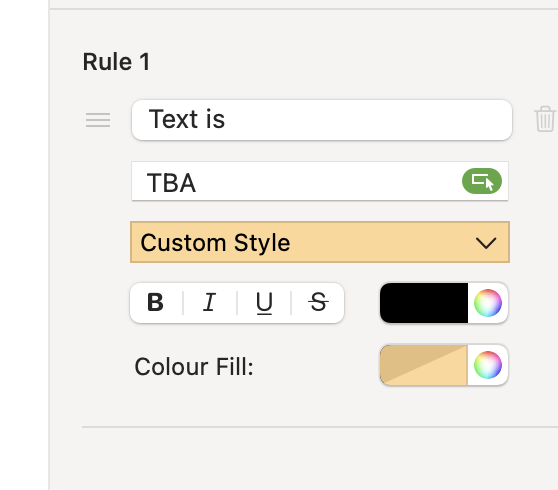

The custom style here is set to apply orange fill and black text to a cell containing the text TBA.

To get orange text on orange fill, change the colour well beside the text styles to match the one beside Colour Fill.


PS: Nice to see the 'correct' spelling of "colour" in the conditional highlighting rule panel.


Regarding this situation:

Note that in every cell containing text in the in the two shaded columns, the last character in the text string is a colon.

Using that consistent property, you can use the rule shown below to do what you want in an 'empty' cell that does contain a formula.


Here the rule is applied only to cell A4
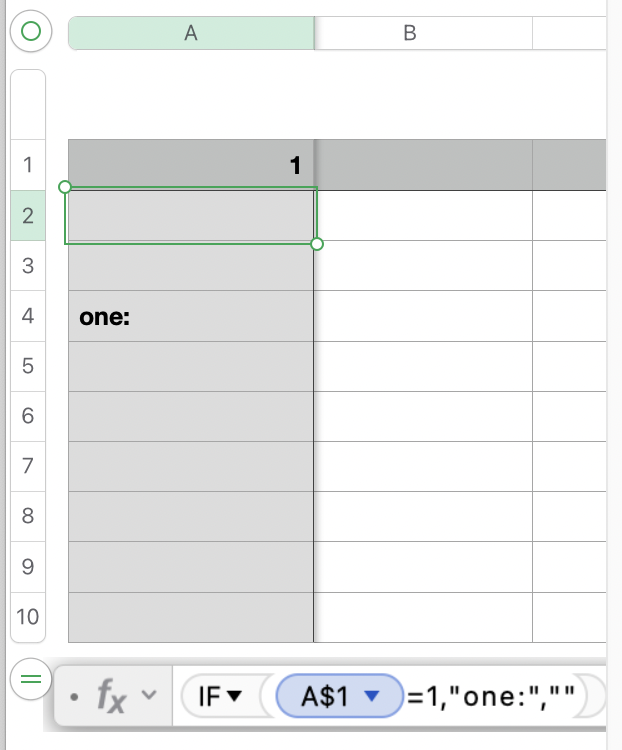
. The formula shown below the table is in that cell.
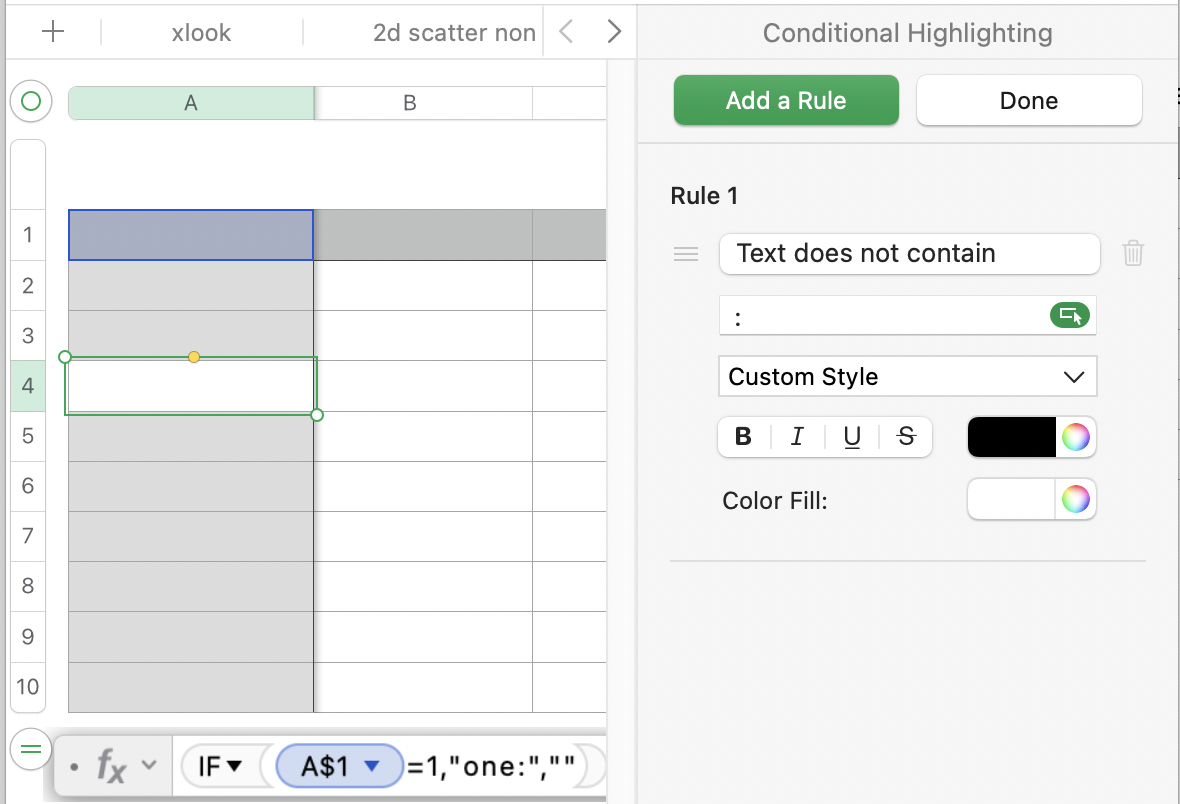

Regards,

Barry

Jul 18, 2022 12:10 AM in response to HayleyHatzi

Two ideas. I am assuming the result of the formula is the null string "".


Preferably would be to modify the formula so the result is a space character " " instead of the null string. Then the second rule would be like the first except instead of TBA it would be a space. But this idea only applies if it does not affect anything else in your sheet.


Or you can use a condition like that shown below, where the cell you choose (B1 in this example) is and will always be blank:


You choose a cell by clicking on the green oval (like the one next to TBA in rule 1) then clicking on a cell in the table. Then change it to preserve the column and row (i.e., give it the dollar signs).

This thread has been closed by the system or the community team. You may vote for any posts you find helpful, or search the Community for additional answers.

Conditioning format

Welcome to Apple Support Community
A forum where Apple customers help each other with their products. Get started with your Apple Account.

