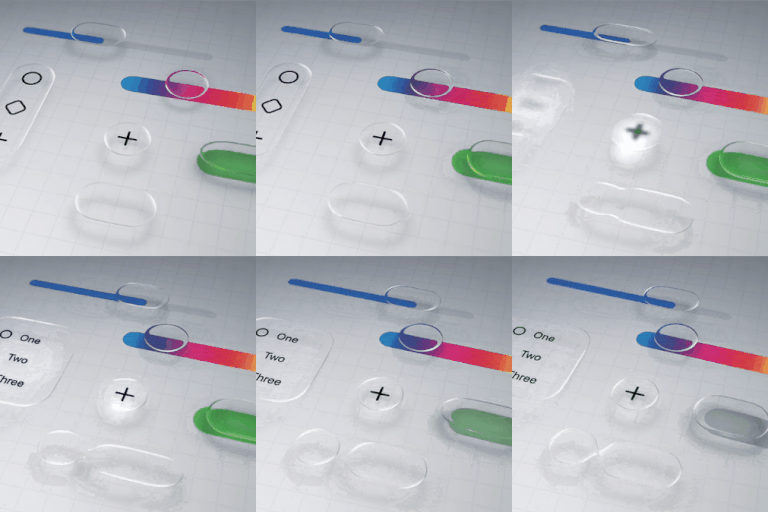
How to disable liquid glass in iOS 26?
Is there a way to completely disable the liquid glass functionality on iOS 26? I'm not going to get into a lengthy diatribe over why it's awful, I just want it gone.
iPhone 13 Pro Max, iOS 18
Is there a way to completely disable the liquid glass functionality on iOS 26? I'm not going to get into a lengthy diatribe over why it's awful, I just want it gone.
iPhone 13 Pro Max, iOS 18
Zedairder wrote:
The best you’ve got is reduced motion, which I assume you already have enabled.
Also Settings>Accessibility>Display & Text Size>Reduce Transparency and Increase Contrast.
But yeah, definitely not optional!
sashwa32 wrote:
Yes please help apple. This new figure is horrible
Apple isn't here. Just other users like yourself on this user to user only forum. There are many options and links posted throughout this thread. As opposed to responding to the first post in a thread, take YOUR time to read and learn how you can positive improvements.
Herr it is in iOS 26. It hovers above the keyboard text predict area and blocks out several site’s form submission buttons. With that and the keyboard almost half of the usable screen space is taken. Makes typing forms and responding to forum posts tricky. See screenshots. Hopefully a fix is coming.
You seem to have completely ignored my solution. There’s little to no change from other versions in terms of that bar covering text. They both were above the keyboard and therefore both cover up any text under it. Use my solution in my previous post.
Egd71 wrote:
It was installed last night. It is wretched and will likely be what finally drives me off of iPhone.
Don't forget to update to iOS 26.2, where there are additional Liquid Glass options. It was just released today so may take a little of time to propagate to your device. You can certainly choose any device you wish and no one here will stop you or even cares. Ironically those same kind of comments are seen on the Samsung/Android support page where they claim they are switching to the iPhone due to the problems they are having. It seems to be a moot and irrelevant statement.
dcsj_canada wrote:
Yeah but in this case the Liquid Glass effect truly is ugly.
That's a matter of opinion. I like it. I was unsure when it was first released, but as time went on and I used it, I realized that I really like it.
dcsj_canada wrote:
Yeah but in this case the Liquid Glass effect truly is ugly. Programmers with too much time on their hands, doing something that doesn’t increase functionality at all.
Not everyone hates Liquid Glass. I quite like it and I'm glad the engineers worked hard on it. It add a high degree of visual interest, which to me was lacking in flat lifeless icons. You'd better get use to this. This is THE design language of the future with more skeuomorphic designs.
Of course it’s a matter of opinion. Except please tell me how an esthetic change increases functionality at all? Yeah, some might prefer it, but it doesn’t allow them to do anything on the phone that I can’t do.
dcsj_canada wrote:
Of course it’s a matter of opinion. Except please tell me how an esthetic change increases functionality at all? Yeah, some might prefer it, but it doesn’t allow them to do anything on the phone that I can’t do.
Tell Apple what you think:
dcsj_canada wrote:
Of course it’s a matter of opinion. Except please tell me how an esthetic change increases functionality at all? Yeah, some might prefer it, but it doesn’t allow them to do anything on the phone that I can’t do.
The updates include new features, UI look and feel, and security updates all in one bundle. There is no such thing as a partial update that you may be looking for.
I can drive any of my cars to the store where they all have that same functionality, but a new car may look better to me and others may also not like it either. That is pretty irrelevant.
dcsj_canada wrote:
Well, the analogy fails because I can always go to a different dealer and buy a different car
Hello~ What is the purpose of coming here to argue a point that simply cannot be removed? Get in touch with touch Apple and argue with them as they get paid to listen whereas we volunteers do not.
~Katana-San
IdrisSeabright wrote:
dcsj_canada wrote:
Well, the analogy fails because I can always go to a different dealer and buy a different car
And you can go buy a different kind of phone, too.
Hello~ Well said…
~Katana-San~
Davescrownncoke12 wrote:
horrible idea for UI. Please listen to your users and give us an option to disable this and revert back. I’m sure your feedback loop is blowing up on this.
Hello~ Please click on below to address this with Apple…
Here you are addressing it w fellow forum members.
~Katana-San~
I echo the sentiment here, it is a very un appealing and any efficient design it has created plenty of issues for me personally.
Apple’s iOS 26 “Liquid Glass” redesign is a bad decision not because it looks different, but because it cuts directly against what Apple does best.
Apple’s core promise has always been effortless clarity. You pick up an iPhone and everything is immediately readable, calm, and obvious. Liquid Glass—by design—adds translucency, refraction, motion, and visual noise to core interface elements. That’s spectacle layered on top of information, and it makes the OS harder to read, not easier.
This is especially dangerous for accessibility. Translucent UI over dynamic backgrounds is notoriously bad for contrast, low-vision users, and people sensitive to motion. The fact that Apple has already had to tone it down and add controls to reduce the effect proves this isn’t a polish issue—it’s a fundamental design conflict.
It also introduces unnecessary performance and perception risk. Effects-heavy interfaces make users worry about battery life and older devices, even if Apple optimizes them. Apple upgrades work because users trust that updates improve stability, not just visuals. This redesign weakens that trust.
Then there’s the ecosystem cost. When Apple changes its visual language this dramatically, developers feel pressure to redesign their apps just to keep up—absorbing time and expense with no guarantee users actually want the look.
Most importantly, Liquid Glass sends the wrong signal. Apple wins by being practical, restrained, and human-centered. A flashy, polarizing UI suggests Apple is prioritizing visual novelty over usability at exactly the moment users want reliability and substance.
Apple shouldn’t need an OS you have to “dial back.” If users want to turn it off, it shouldn’t be the future of iOS.
It’s not a question of liking or disliking the Liquid Glass.
I can’t see the time clearly when I glance at my phone because it has become translucent or transparent rather than opaque and easy to see at a glance.
I don’t understand how this can be called an improvement.
If I’d known that this would be irreversible, I would NOT have updated!!!
Perhaps before the next update Apple users can get a preview of what’s in store, so that they can decide if they want to update or not.
This is very disappointing ☹️
Tzotzi wrote: "...Perhaps before the next update Apple users can get a preview..."
Apple published these previews on June 9 — well before the release of iOS 26 on September 15:
Introducing Liquid Glass | Apple
õ¿õ¬
How to disable liquid glass in iOS 26?