Sqn_19 wrote:
Hello all, I've got a '23 MBP running Sequoia 5.6.1, but I can't get my iCloud account, or an old college email to get online.
The check mark is enabled, and I can't remove the account because it "is shared by other applications on this Mac." I go to Internet Accounts and turn off iCloud mail, but I still can't delete the account in the mail app.
Thanks for any help!
The current Sequoia is macOS 15.7.2
Keep your Mac up to date - Apple Support
Keep your Mac up to date - Apple Support
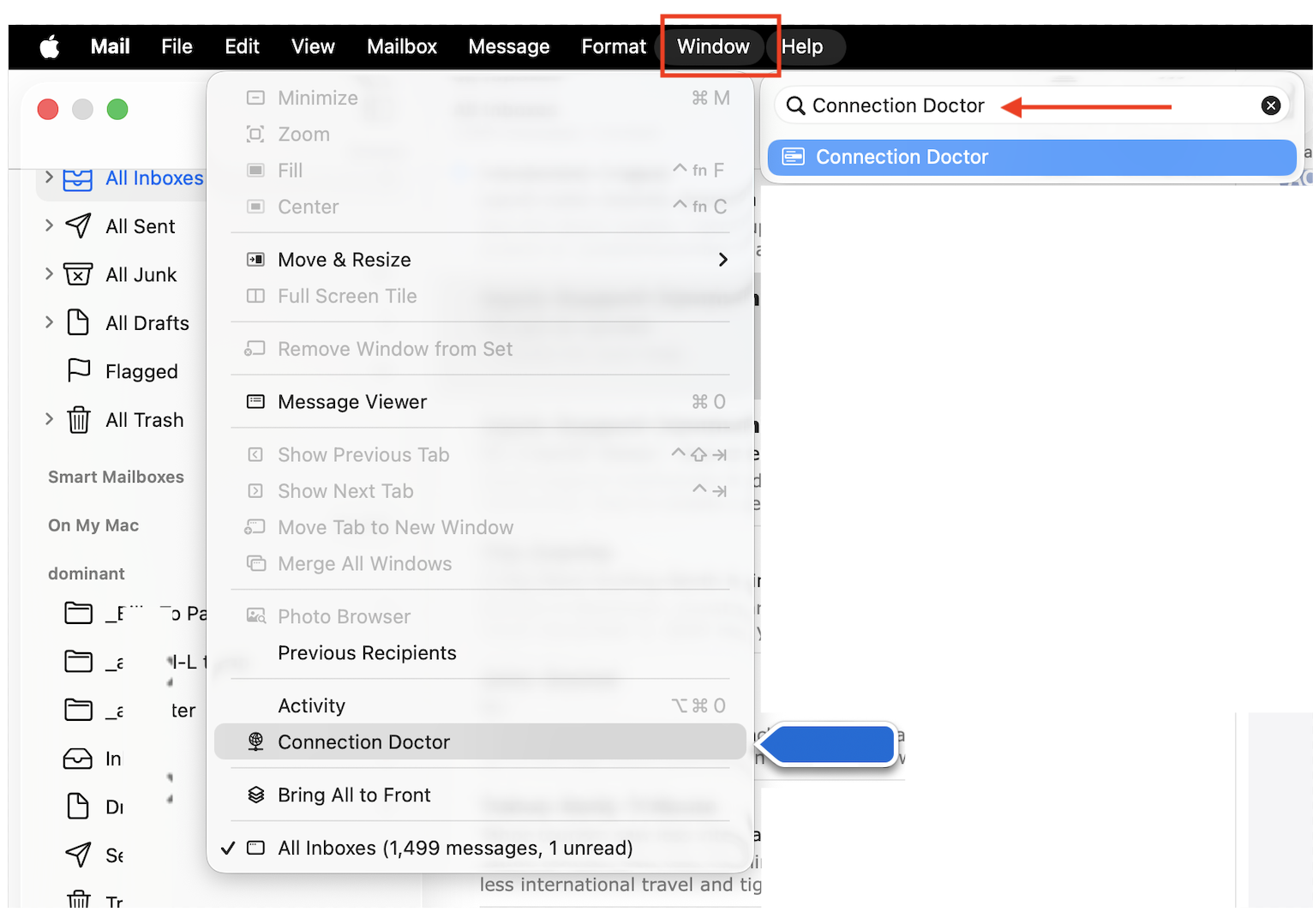
With the mail account enabled... what does it say in the Connection Doctor?
— Mail.app>Window>Connection Doctor you should see all green for both IMAP server and SMTP server...
if in doubt use the Help> search feature
—Mail issues
Open Mail.app from the menu bar select Mail>Settings>Privacy and disable:
• Protect Mail Activity
• Hide IP address
• Block all remote content
—Manage iCloud Private Relay for specific websites, networks, or system settings—issues
Manage iCloud Private Relay for specific websites, networks, or system settings - Apple Support
If no resolve see:
—if you are using Hide My email—try disabling this feature and compare your results...
Set up and use Hide My Email in iCloud+ on all your devices - Apple Support
—if you are using iCloud Private Relay on Mac - Apple Support try disabling this feature and compare your results...
Use iCloud Private Relay on Mac - Apple Support
Still have issue—
For problem accounts the go to way to sort things out is to delete the account(s) from the Mail.app, then add it back.
Remove email accounts in Mail on Mac
Remove or temporarily turn off email accounts in Mail on Mac - Apple Support
Add email accounts in Mail on Mac - Apple Support
Add email accounts in Mail on Mac - Apple Support
Note—
IMAP accounts stay on the server, so no local loss, when you re-sync
POP accounts download and remove from the server—therefor save your inbox/sent box if you want them
“On My Mac" is just that, local folders you created and moved mail into. So no loss
Turn off any Firewall you may have enabled or added and compare your results.

