When downloading an app from the App Store you don't get payment method choices. It automatically uses the payment methods on your account in the order they appear in.
If the App has subscriptions and you allow the free trial to renew, it will again use the payment methods on your account in whatever order they appear in.
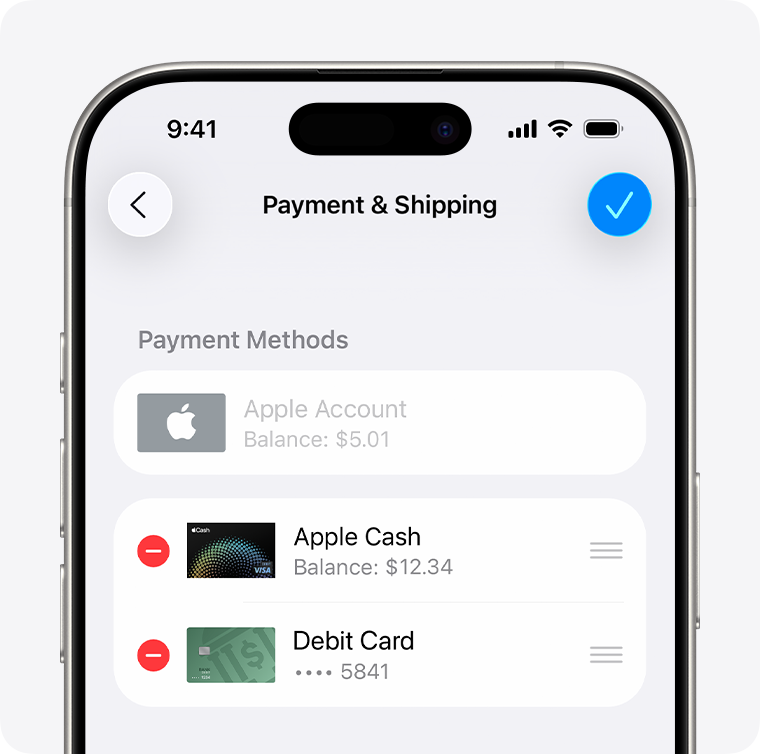
To change the order, go to Settings ➜ Account ➜ Payment & Shipping and you will see your payment methods listed. You can re-order them there by tapping on "Edit" and dragging them up or down on the list. The top most payment is tried first to pay for apps and subscriptions. Your Account Balance is always the first thing it tries to charge.
For subscriptions that have options for how often they charge, weekly, monthly or yearly you need to choose one based on what you want to pay and how often you want to pay. The subscription continues until you cancel it, and will renew on that time scale ,Weekly, monthly or yearly, and charge you automatically every time.
It will still use whatever payment methods you have added to your Apple Account in the order they appear in. Trying each payment method listed until it finds one it can charge. If it is unable to charge any payment method, then the charge will remain pending until it can be successfully charged and your account will then be in bad standing preventing you form downloading any apps free or paid and updating existing apps until the charge is completed successfully.
If you change the order, and then all purchases and subscriptions will use the new order starting with the top most payment method. There is no option to assign a specific payment method to a specific purchase or subscription.
click here ➜ If you need to change or update your Apple Account payment method - Apple Support

