Automatic Login is Disabled (greyed out)


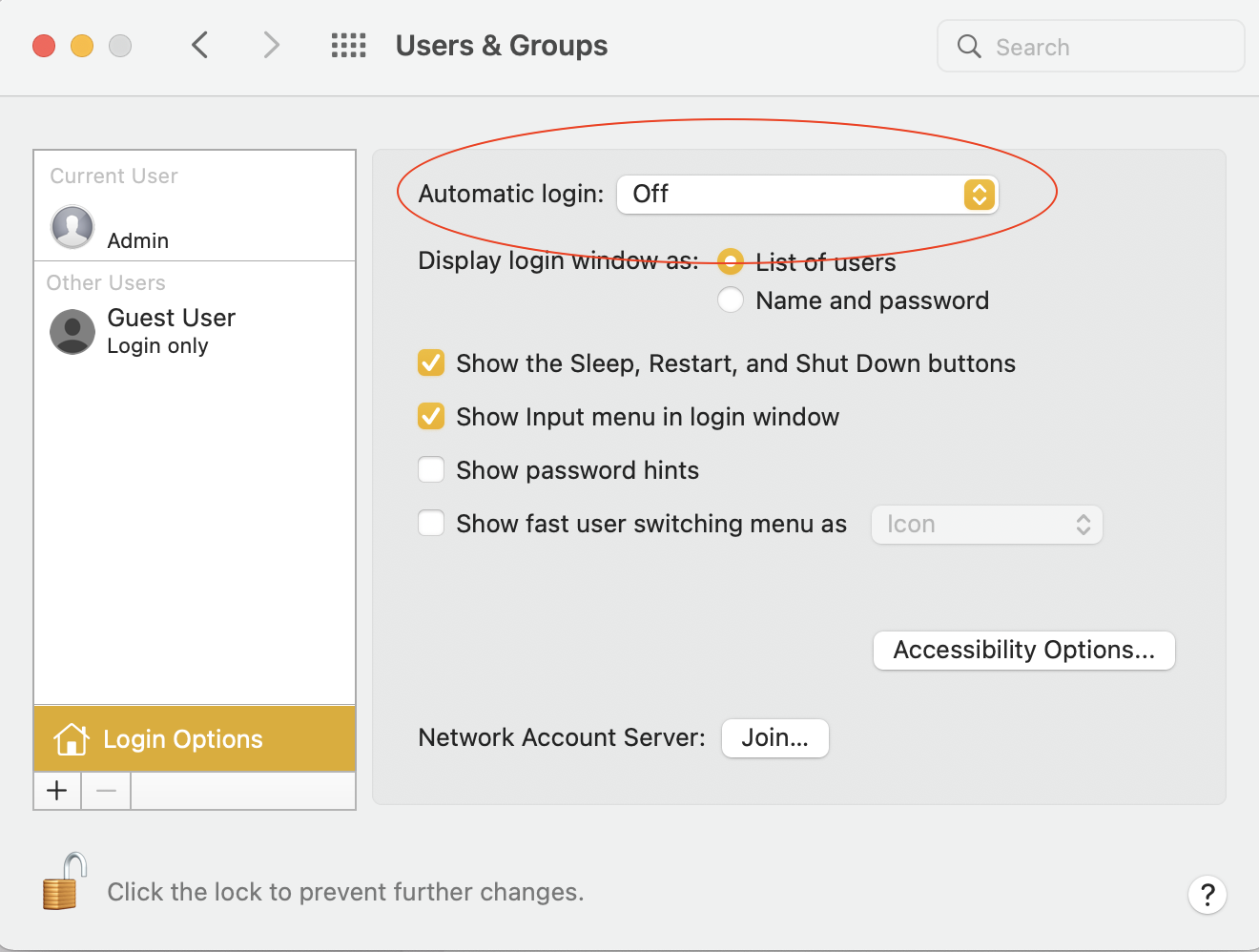
I just re-installed Monterey on my m1 mac mini. As per the pictures attached the automatic login is disabled. ( I have the apple keyboard with the Touch ID). Does anyone have any ideas how I can enable the automactic login as I am the only usere of this machine.

Mac mini, macOS 12.0

Posted on Nov 16, 2021 6:01 AM

Reply
Question marked as Top-ranking reply

Posted on Nov 16, 2021 6:22 AM

Murray Cater wrote:

https://discussions.apple.com/content/attachment/a5bbc02f-a113-4a6d-b125-55f820d6dedf
https://discussions.apple.com/content/attachment/33304bc8-f041-49b8-9e4e-1a8a49a210c3


I just re-installed Monterey on my m1 mac mini. As per the pictures attached the automatic login is disabled. ( I have the apple keyboard with the Touch ID). Does anyone have any ideas how I can enable the automactic login as I am the only usere of this machine.


Old issue, new issue, what changed...?


If File Vault is turned on— you can not have automatic login....

see >System Preferences>Security&Privacy>FileVault


There are a few instances where Touch ID will not be accepted by macOS:


• If you restarted your Mac, or if you're not logged into your user account.

• If you have not unlocked your Mac for 48 hours.

• If you are trying to unlock Security & Privacy

• If you are trying to unlock Users & Groups Preferences (when FileVault is on)

• If 5 wrong fingerprint attempts


"If you have problems with Touch ID"

https://support.apple.com/guide/mac-help/touch-id-mchl16fbf90a/mac

1 reply
Question marked as Top-ranking reply

Nov 16, 2021 6:22 AM in response to Murray Cater

Murray Cater wrote:

https://discussions.apple.com/content/attachment/a5bbc02f-a113-4a6d-b125-55f820d6dedf
https://discussions.apple.com/content/attachment/33304bc8-f041-49b8-9e4e-1a8a49a210c3


I just re-installed Monterey on my m1 mac mini. As per the pictures attached the automatic login is disabled. ( I have the apple keyboard with the Touch ID). Does anyone have any ideas how I can enable the automactic login as I am the only usere of this machine.


Old issue, new issue, what changed...?


If File Vault is turned on— you can not have automatic login....

see >System Preferences>Security&Privacy>FileVault


There are a few instances where Touch ID will not be accepted by macOS:


• If you restarted your Mac, or if you're not logged into your user account.

• If you have not unlocked your Mac for 48 hours.

• If you are trying to unlock Security & Privacy

• If you are trying to unlock Users & Groups Preferences (when FileVault is on)

• If 5 wrong fingerprint attempts


"If you have problems with Touch ID"

https://support.apple.com/guide/mac-help/touch-id-mchl16fbf90a/mac

This thread has been closed by the system or the community team. You may vote for any posts you find helpful, or search the Community for additional answers.

Automatic Login is Disabled (greyed out)

Welcome to Apple Support Community
A forum where Apple customers help each other with their products. Get started with your Apple Account.