Red Ghosting or Fade with Night Shift - iPadOS 16 with iPad Pro 12.9 6th Gen

While scrolling text or images, a red ghosting or fade occurs where the red will fade and clear to proper color after scrolling is stopped, seems associated with Night Shift. Annoying occurrence, mainly with lighter colors as this produces a more obvious transition although it is present all the time. With Night Shift off the ghosting or fade is much more reduced but still present. Not pleased with this transition and most likely will be returning the iPad as this is not at all evident on my older 12.9 iPad Pro

iPad Pro, iPadOS 15

Posted on Nov 1, 2022 6:16 AM

Reply
1 reply

Nov 2, 2022 7:28 PM in response to AIA17

Hi AIA17,


Thanks for posting in Apple Support Communities! If your software is already updated to the latest version of iOS 16, we suggest restarting your iPad to see if the behavior continues:


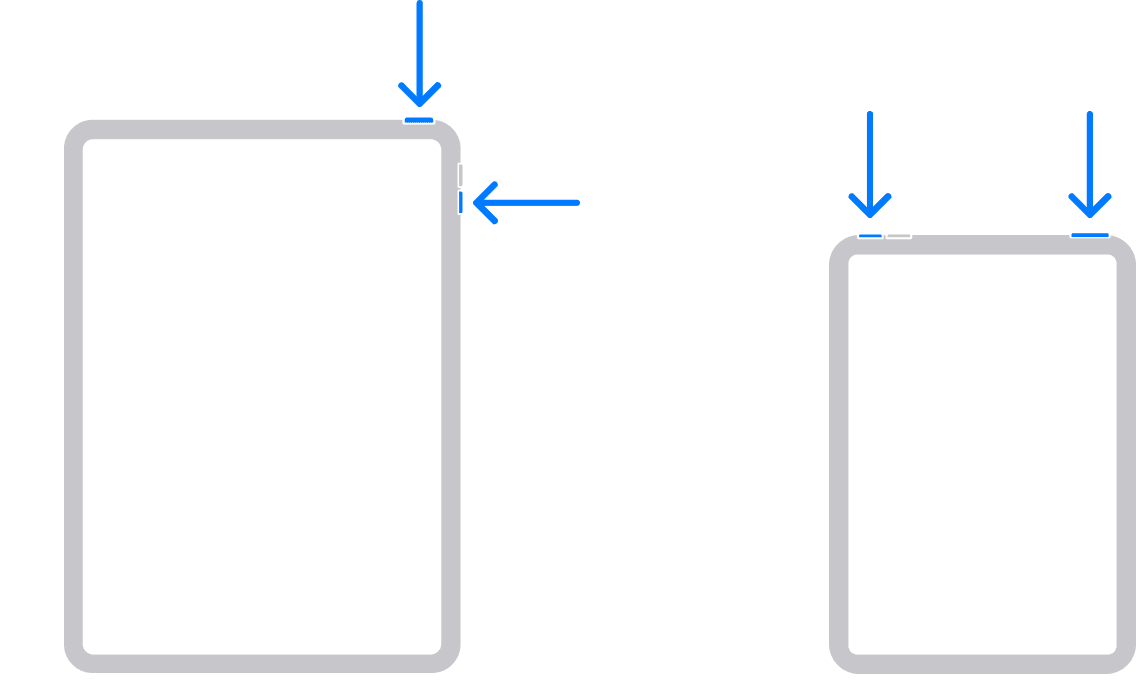
  1. "Press and hold either volume button and the top button until the power off slider appears.

2. Drag the slider, then wait 30 seconds for your device to turn off. If your device is frozen or unresponsive, force restart your device.

3. To turn your device back on, press and hold the top button until you see the Apple logo."

-Restart your iPad


Although simple, restarting can refresh things and fix many issues. If it continues, contact Apple Support to look into this further with you: Apple Support.


Cheers!

This thread has been closed by the system or the community team. You may vote for any posts you find helpful, or search the Community for additional answers.

Red Ghosting or Fade with Night Shift - iPadOS 16 with iPad Pro 12.9 6th Gen

Welcome to Apple Support Community
A forum where Apple customers help each other with their products. Get started with your Apple Account.