Count Number of Sheets (tabs)

I've got a Numbers file with a lot of sheets (tabs). I'd like to know how many I have without manually counting them. Is there a function to do that, or some other way to uncover the number of sheets (tabs) in the file, without manually counting?

iMac 27″ 5K, macOS 13.0

Posted on Nov 27, 2022 2:53 PM

Reply
Question marked as Top-ranking reply

Posted on Nov 30, 2022 8:18 AM

ddYou can use this Shortcut to count sheets. It can become a menu pick or be attached to a keyboard shortcut.


https://www.icloud.com/shortcuts/d7de242d04304c53a491fe67639b96a6


It contains an AppleScript one-liner:ddd


tell application "Numbers" to tell front document to count sheets


SG

7 replies

Nov 27, 2022 5:45 PM in response to DesertRatR

I have a method if the sheet names all follow a specific pattern (such as "Sheet " followed by a number) and all sheets have a table of the same name (such as Table 1).
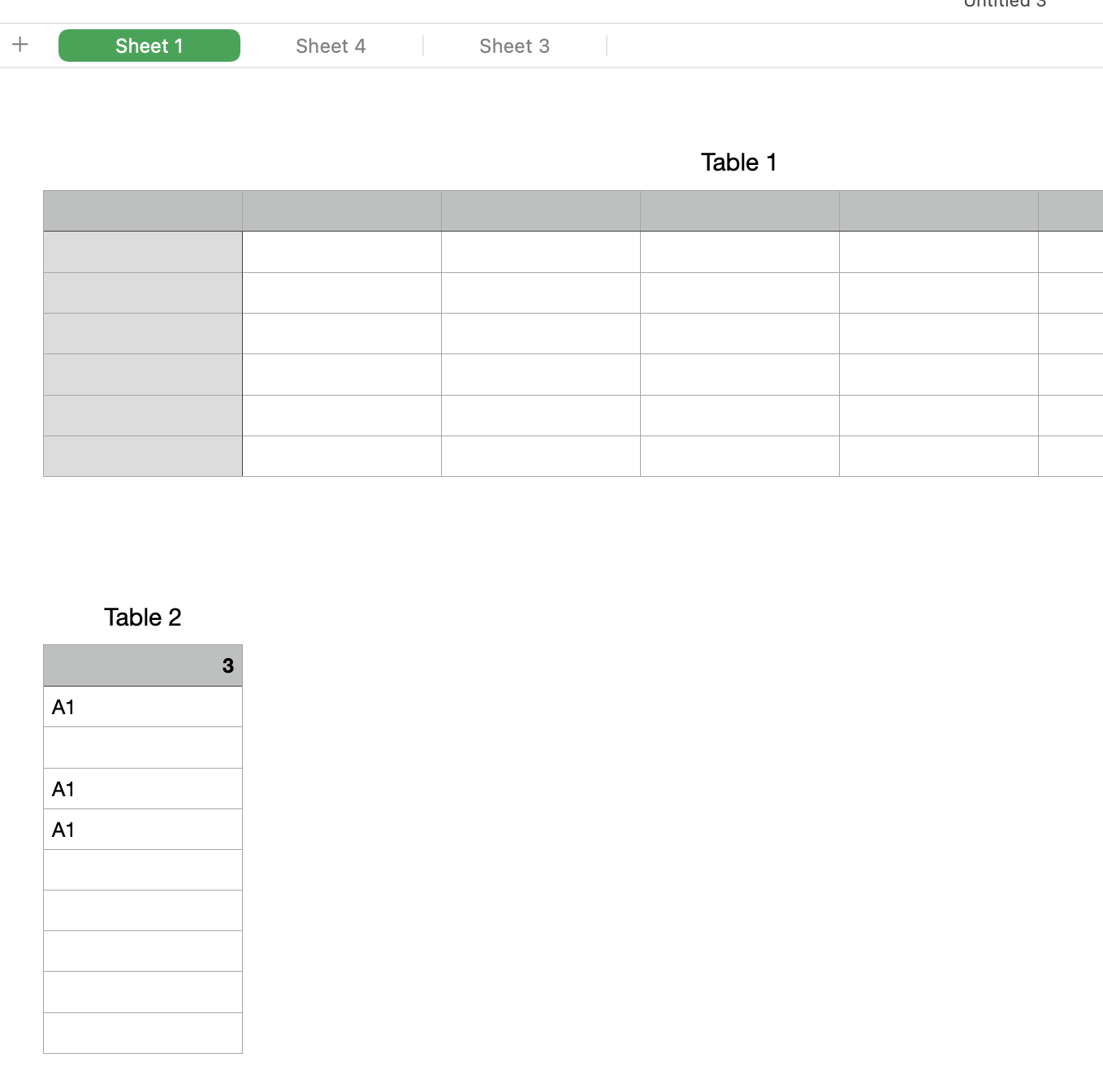


Table 2 (only required on one sheet) checks for the presence of cell Table 1::A1 on each sheet. It should have as many rows as needed to capture all the sheet names you expect to have plus one extra row that is the header. The header contains the answer.


A1 = COUNTIF(A,"A1")

A2 =IFERROR(REFERENCE.NAME(INDIRECT("Sheet "&ROW(cell)−1&"::Table 1::A1")),"")

Fill down to complete the column


"Table 2" could be on another sheet by itself rather than on an important sheet. If that sheet does not have a Table 1, it will not be included in the count.


If this method does not apply to your document, give us some more info on the naming convention you use for sheets and tables and maybe we can come up with something.



Nov 30, 2022 11:35 AM in response to DesertRatR

If Shortcuts will not run it because it is a "scripting action" (which is likely the default security setting):

  1. Open the preferences for Shortcuts,
  2. Go to the Advanced tab,
  3. Select "Allow Running Scripts".


The shortcut (or a straight up AppleScript) is by far the easiest way to go. It is the only way to do it if there is no pattern to the sheet/table names.

Nov 28, 2022 10:09 AM in response to DesertRatR

You might have to have a row for every day from the first day out to the future. You may end up with a very long table. That shouldn't be a problem unless it slows everything down. I tried 5000 rows and it seems perfectly fine. I wish here was a better way to do this but I don't know of one.


Put the date 01/01/2022 into cell A2

Create a custom format to format it as YYYYMMDD

Drag down to create a list of dates

B2 = IFERROR(REFERENCE.NAME(INDIRECT(A2&"::Table 1::A1")),"")

Drag down to complete the column

B1 = COUNTIF(B,"A1")

This thread has been closed by the system or the community team. You may vote for any posts you find helpful, or search the Community for additional answers.

Count Number of Sheets (tabs)

Welcome to Apple Support Community
A forum where Apple customers help each other with their products. Get started with your Apple Account.