"So even though I told Numbers to USE 1 decimal place, it still calculated the actual decimal number… "
If you 'told Numbers' using the Cell Format Inspector, you did not tell Numbers to USE one decimal place; you told Numbers to DISPLAY one decimal place.
In the example below. the number 65.4321 is entered into each of the cells in column A of the table.
Column B contains the formula =A2 in cell B2, filled down to B6.
In cell A2, the Decimals: value has been left as "Automatic"
Cell A4 (selected) has the settings shown in the screen shot. The other rows have Decimals set to the number of decimal places places displayed in that cell.
Column C has the formula shown in C1. B in the displayed formula represents "B2" in row 2, B3 in row 3, etc.
With the number of decimal places NOT set for these cells, the formula would use the same display format assigned to the cell from which it was getting the number to be multiplied by 1, making the product look like the number displayed in column B
But the number actually calculated is the product of the actual number in that row of column B and 1, which can be revealed by setting the cells in column C to show all four decimal places (as I've done in this example).
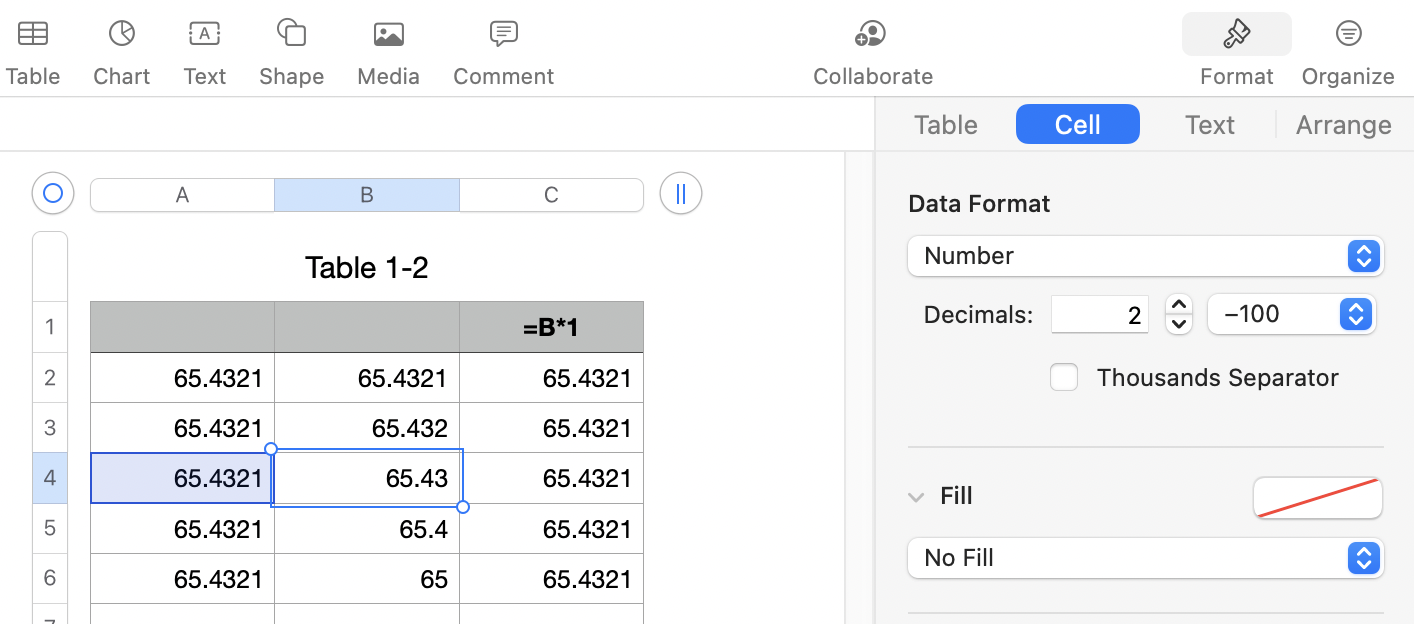
Telling Numbers how to display the number does just that.
To tell Numbers to use the actual number rounded to the nearest hundredth, you need to tell numbers to ROUND the number before doing the calculation. That's done by including the ROUND function in your formula:
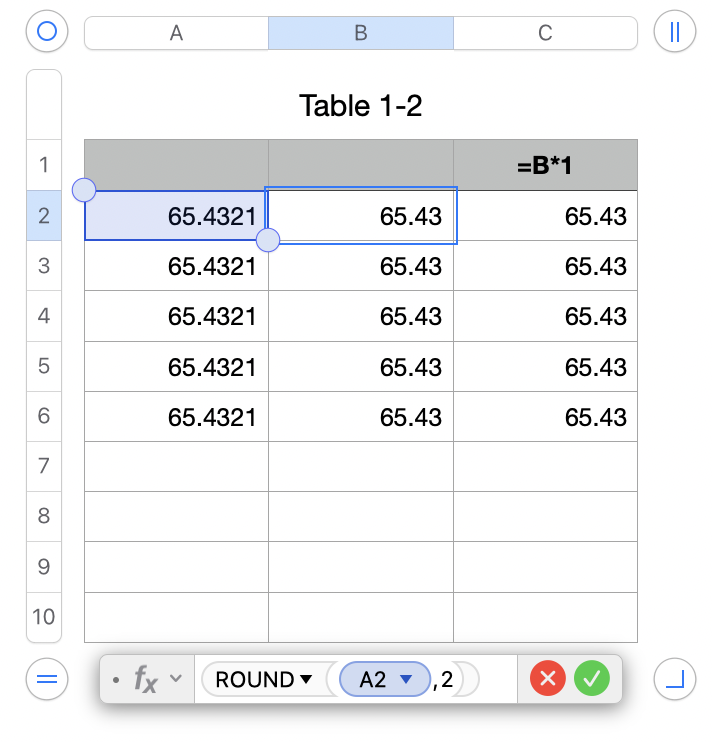
In the example above, I've included only the ROUND part of a possible formula, and set the decimals to Automatic.
Column B's formula has also been changed to get the value from column A, round it to two decimal places, then multiply the result by 1.
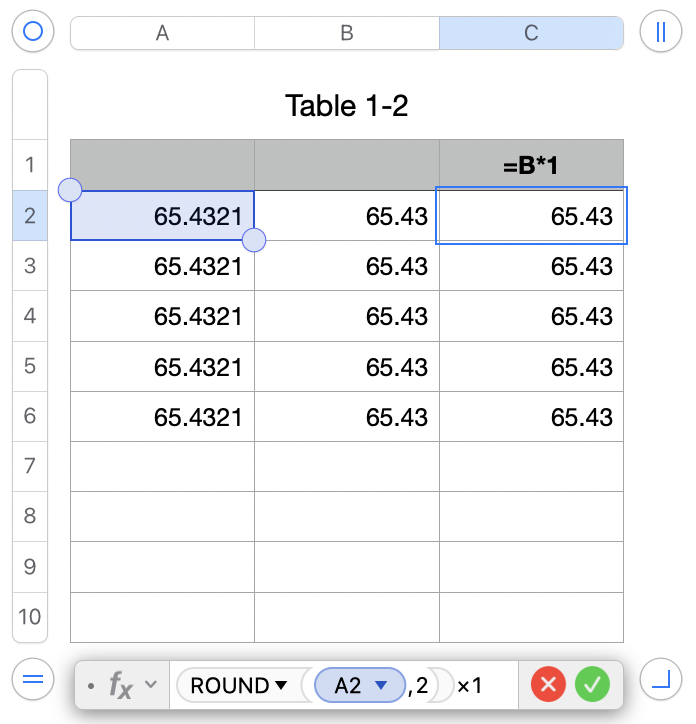
All cells containing numeric values in this table no have Decimals set to 'Automatic' and show the actual number entered (column A) or the actual result of calculations carried out by the formula in that cell (columns B and C).
Regards,
Barry

