
Update notification will not go away.
I have a 5th generation Ipad wifi and I updated it to 16.2 and the notification in settings will not go away. I've tried rebooting to no avail. I also reset the network settings as well.
iPad, iPadOS 16
I have a 5th generation Ipad wifi and I updated it to 16.2 and the notification in settings will not go away. I've tried rebooting to no avail. I also reset the network settings as well.
iPad, iPadOS 16
Assuming that Automatic Updates are enabled - temporarily disable Automatic Updates in iPad settings:
Settings > General > Software Update > Automatic Updates
Next, perform a forced-restart of your iPad:
Force restart iPad (models with Face ID or with Touch ID in the top button)
If your iPad doesn’t have the Home button, do the following:

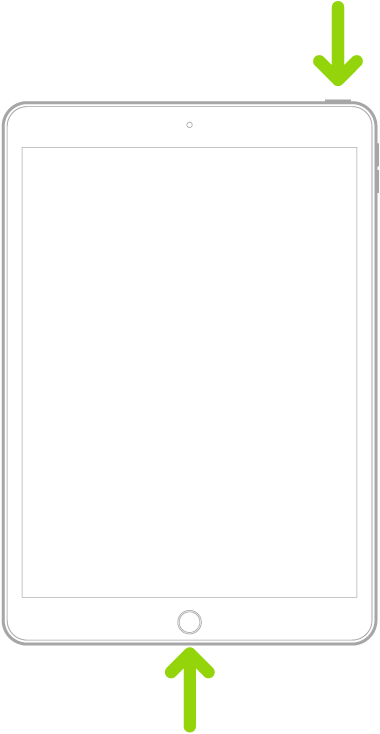
Force restart iPad (models with the Home button)
Press and hold the top button and the Home button at the same time. When the Apple logo appears, release both buttons.
Assuming that Automatic Updates are enabled - temporarily disable Automatic Updates in iPad settings:
Settings > General > Software Update > Automatic Updates
Next, perform a forced-restart of your iPad:
Force restart iPad (models with Face ID or with Touch ID in the top button)
If your iPad doesn’t have the Home button, do the following:
Force restart iPad (models with the Home button)
Press and hold the top button and the Home button at the same time. When the Apple logo appears, release both buttons.
Did not work. Here is the screenshot.
Update notification will not go away.
