moving mouse rapidly towards top right corner, mac locks

Whenever I move my mouse rapidly to the top right hand corner of my screen, my macbook automatically locks. Why does it do this and how do I turn it off? It takes me to my login screen each time and it is so frustrating.

MacBook Pro 13″, macOS 12.3

Posted on Oct 10, 2023 6:41 PM

Reply
Question marked as Top-ranking reply

Posted on Oct 11, 2023 3:20 PM

to me, it kind of sounds like you have inadvertently activated a "hot corner" for the top right corner of your desktop.


for Ventura or Sonoma, go into System Settings > Desktop & Dock. then in the right panel, scroll down until you see the "hot corners" button.
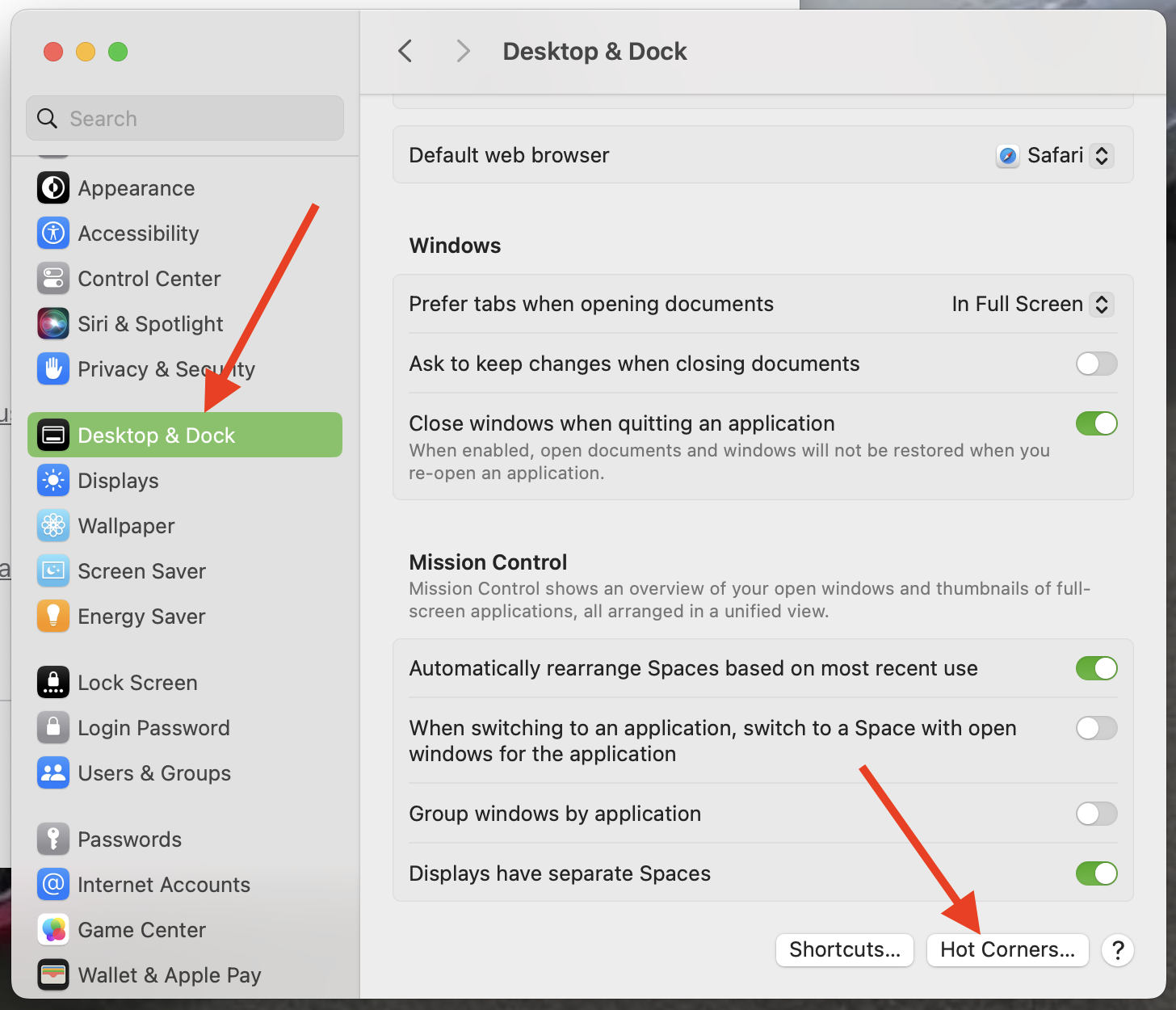


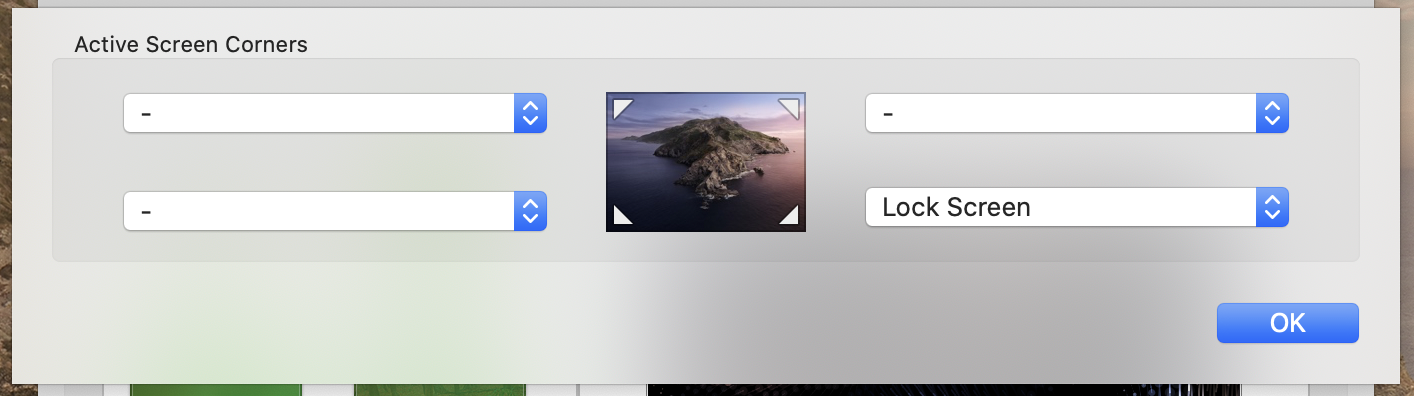
then click the "Hot corners" button and ensure if it is set as "Lock Screen". if it is, you can change it to show "-" and your screen will stop locking whenever you mouse over your top right corner.



but in monterey and before, go into System Preferences > Desktop & Screen Saver.
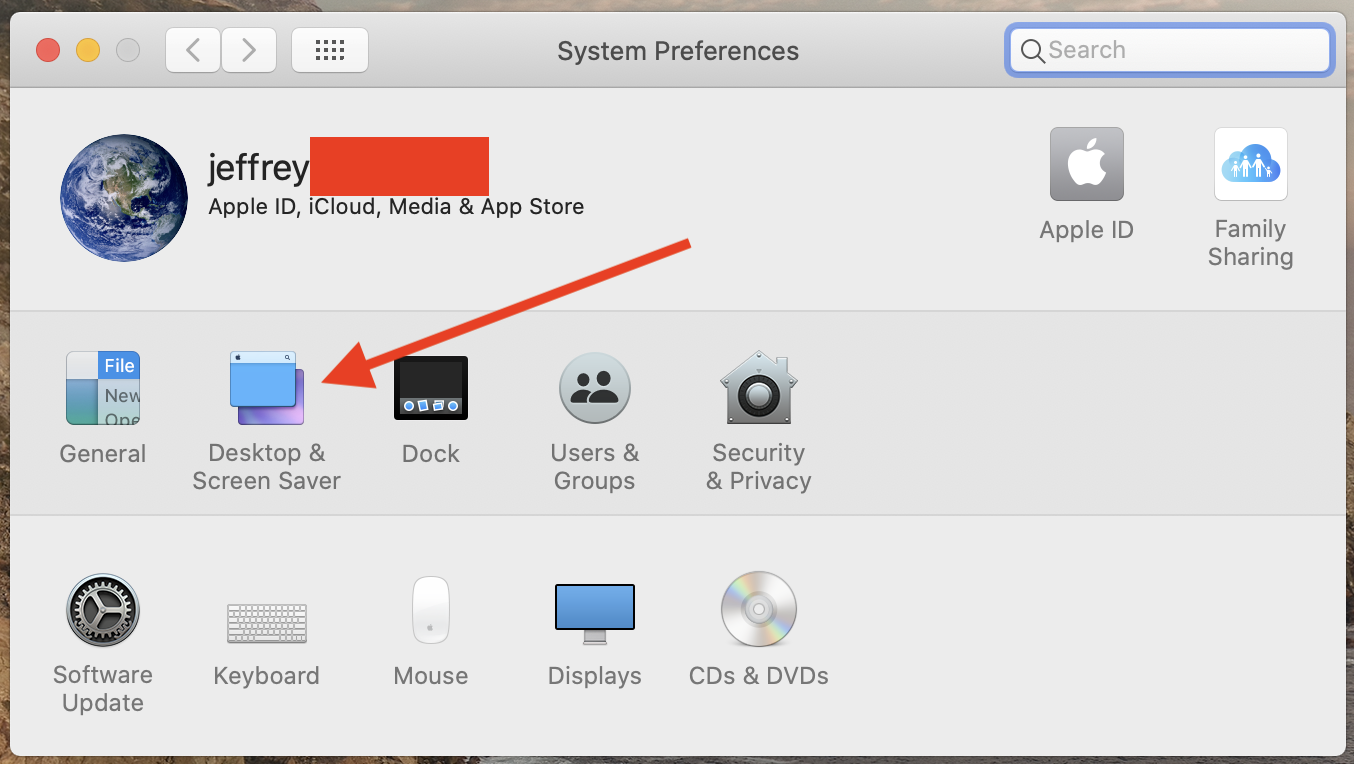


then in the "screen saver" tab, click on "hot corners".
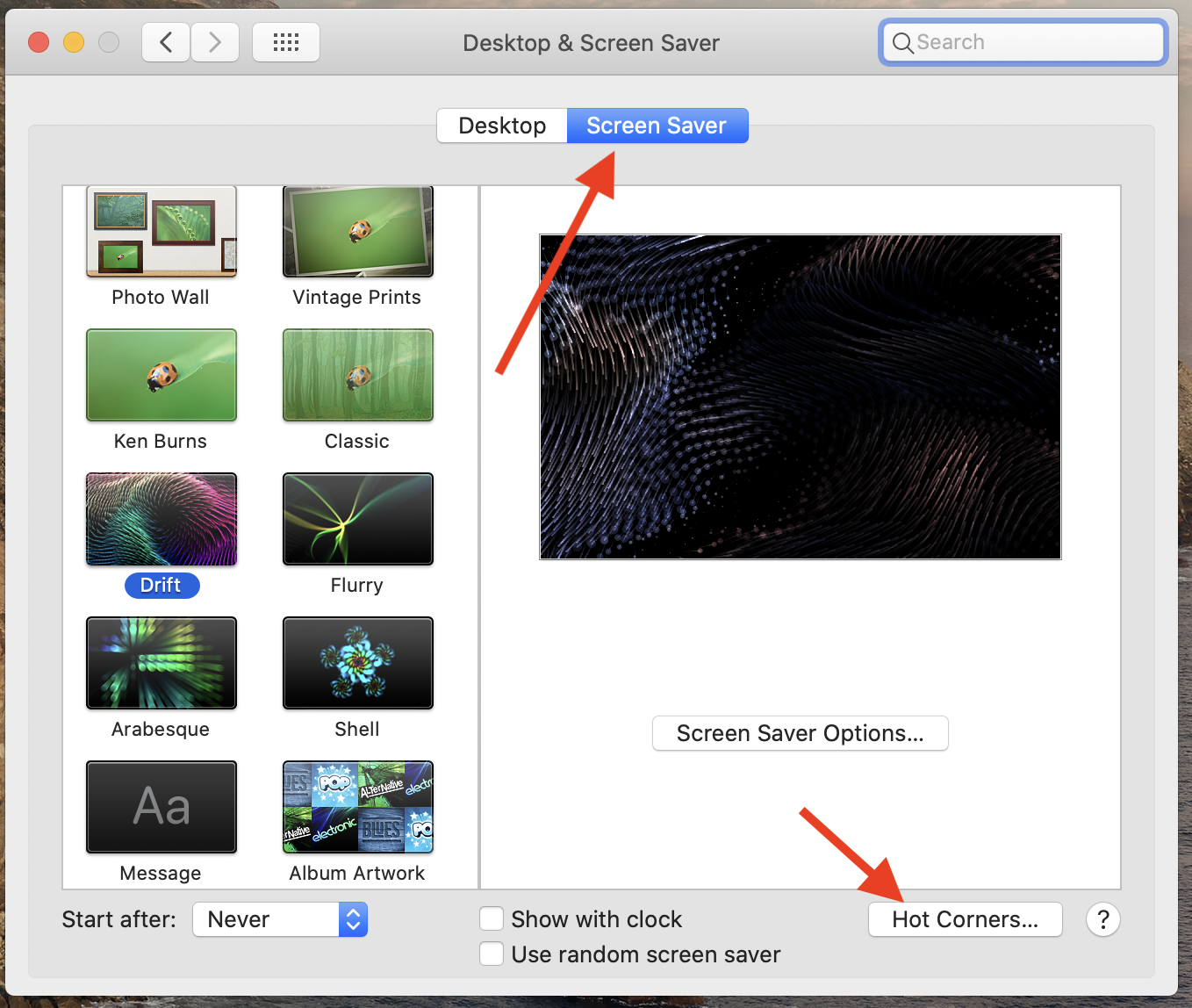


and again, check your "hot corners" settings.

Similar questions

5 replies
Question marked as Top-ranking reply

Oct 11, 2023 3:20 PM in response to madisonsmith16

to me, it kind of sounds like you have inadvertently activated a "hot corner" for the top right corner of your desktop.


for Ventura or Sonoma, go into System Settings > Desktop & Dock. then in the right panel, scroll down until you see the "hot corners" button.


then click the "Hot corners" button and ensure if it is set as "Lock Screen". if it is, you can change it to show "-" and your screen will stop locking whenever you mouse over your top right corner.


but in monterey and before, go into System Preferences > Desktop & Screen Saver.


then in the "screen saver" tab, click on "hot corners".


and again, check your "hot corners" settings.


Oct 10, 2023 6:52 PM in response to madisonsmith16

madisonsmith16 Said:

"moving mouse rapidly towards top right corner, mac locks: Whenever I move my mouse rapidly to the top right hand corner of my screen, my macbook automatically locks. Why does it do this and how do I turn it off? It takes me to my login screen each time and it is so frustrating."

-------


Troubleshooting a Locked Cursor:


A. Single-Out this User. 

Try a New Admin User: What happens when you create a new administrator user, and log into it? Do you still get this error? If not, then it is likely an error with the current user. If so, then it is likely an error with your Mac.


B. How to Reinstall the macOS:

Nothing would be lost. It's just that misplaced items would be placed back to where they should be and corrupt system files would be replaced by clean files. Go Here: Reinstall macOS - Apple Support. Use the third bulleted method: [command + r]. To prevent data loss, be sure to Back up your Mac with Time Machine, prior to the reinstall.

Mar 11, 2024 1:10 PM in response to madisonsmith16

I want to be able to point my mouse arrow to the corner to lock. What I am trying to figure out is how do I disable whatever feature it is that seems to accelerate the Lock Screen because it's anticipating moving it to the corner. I know I don't physically move the arrow to the corner because it's near the login center immediately. There is some acceleration involved locking it.

This thread has been closed by the system or the community team. You may vote for any posts you find helpful, or search the Community for additional answers.

moving mouse rapidly towards top right corner, mac locks

Welcome to Apple Support Community
A forum where Apple customers help each other with their products. Get started with your Apple Account.