Numbers doesn't support "array" formulas like that. But there are MUCH easier ways than using a formula.
Try an 'Is Distinct' filter like this:
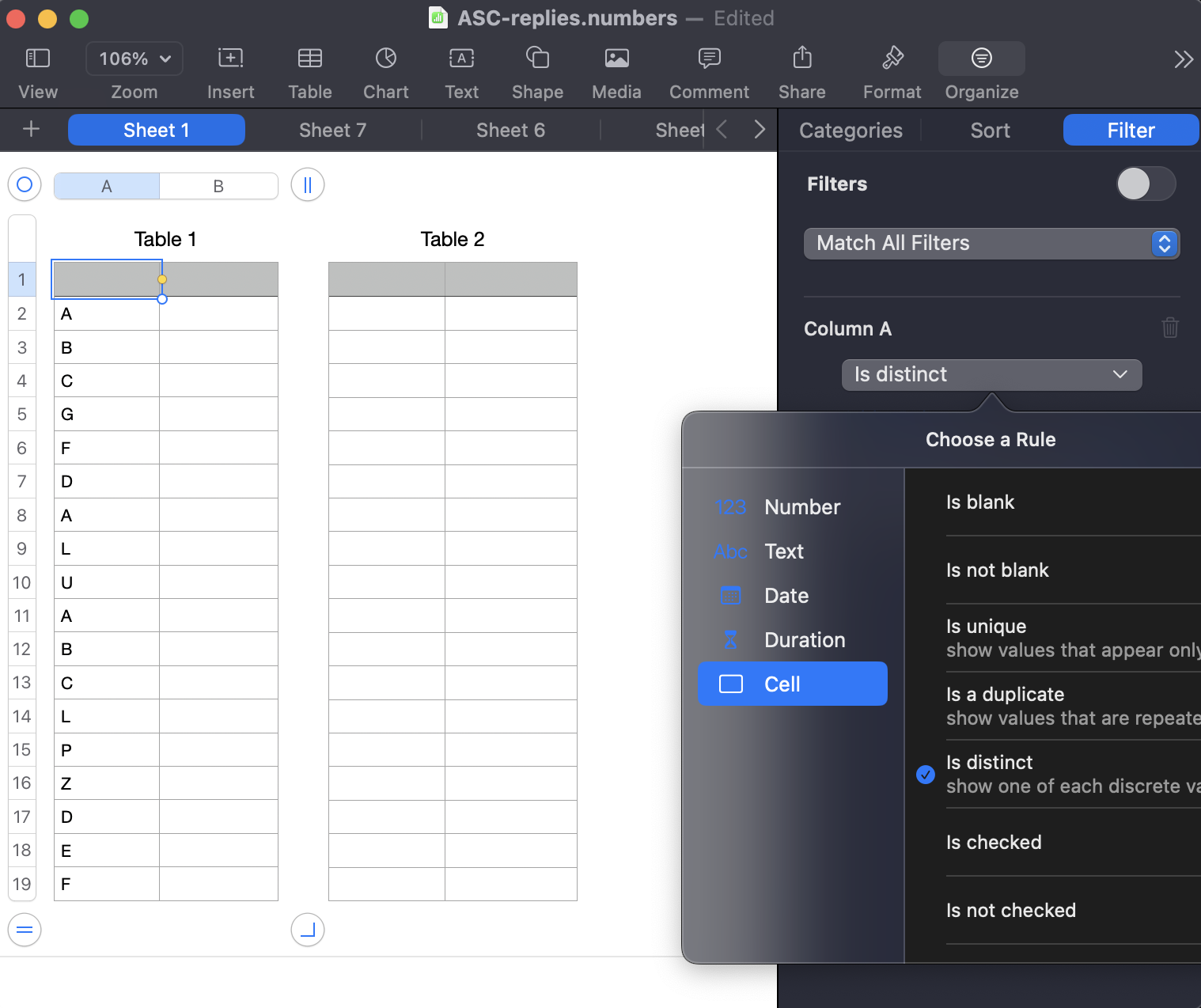
After the filter is turned on select the visible cells in the original table, command-c to copy, click once in a cell of an existing destination table, and command-v or Edit > Paste and Match Style to paste.
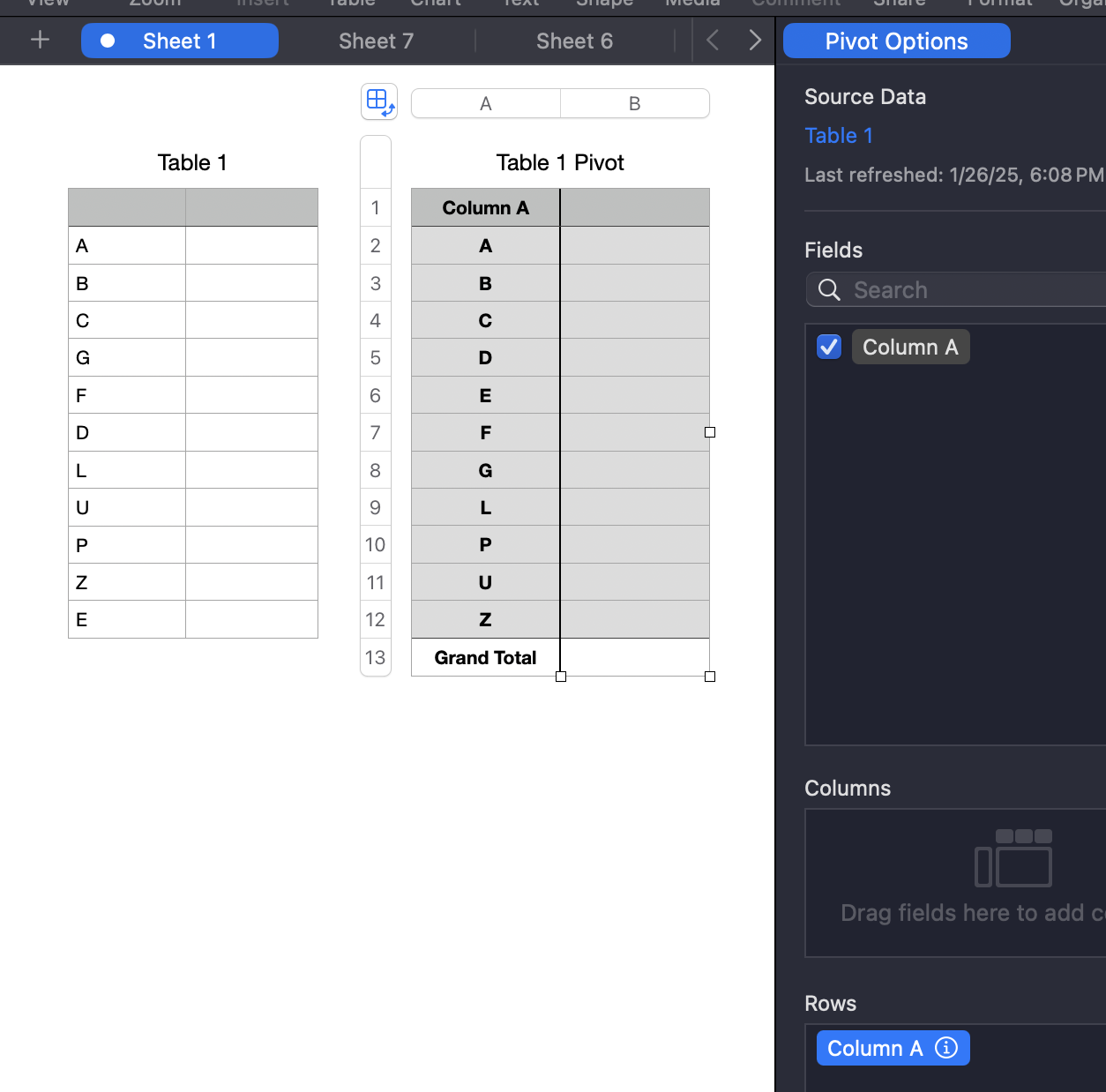
Or, just as easy, use a Pivot Table.
Click in the original table with the duplicates, choose Organize > Create Pivot Table > On Current Sheet and drag the relevant field into the Rows box as shown here. Then copy-paste from the Pivot Table into your destination table.
More on Filters here:
Filter data in Numbers on Mac - Apple Support
More on Pivot Tables here:
Intro to pivot tables in Numbers on Mac - Apple Support
SG


