> I would like to add categories to the existing template under the Transactions sheet and link them to the Budget sheet
Ahh, you've found the one achilles heel of Numbers.. how it deals with pop-up lists. Let's work through this.
> I would like to add categories to the existing template under the Transactions sheet and link them to the Budget sheet
If we start on the Transactions sheet, the default template looks like this:
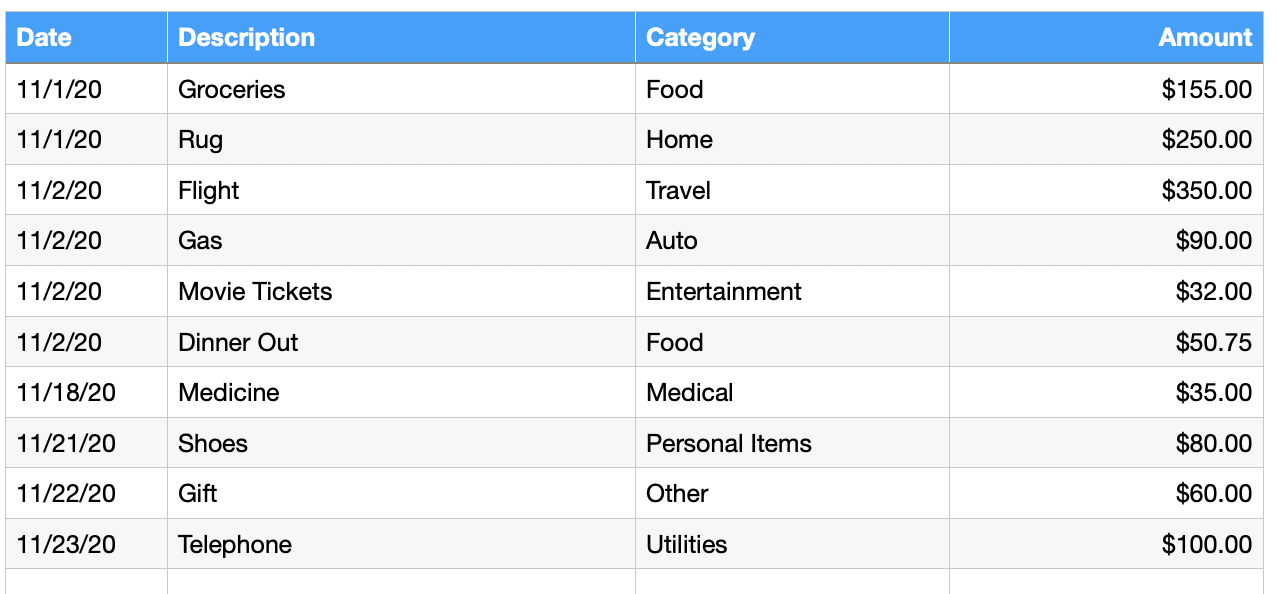
Where the Category column is based on a pop-up menu of options.
You edit the list of options via the Inspector -> Cell -> Data Format: Pop-Up Menu.
If you click on Cell C2, for example, then view the Format Inspector, you should see something like:
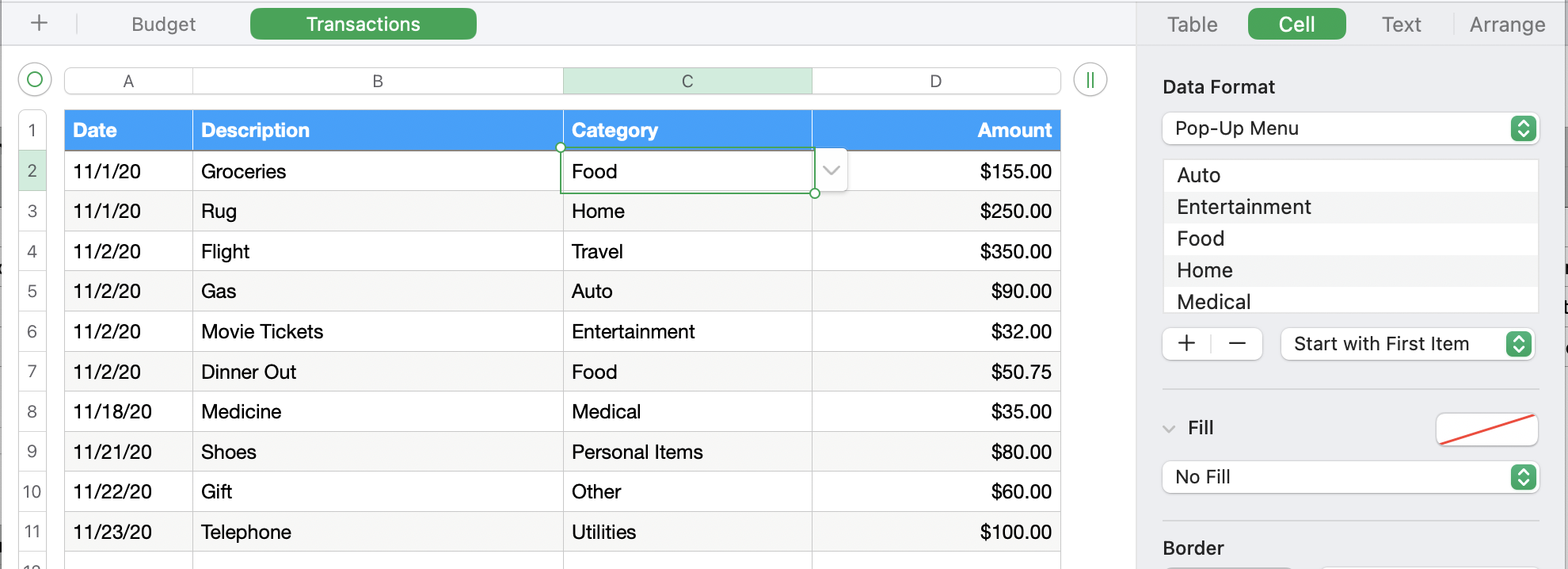
Where you can see the Categories (Auto, Entertainment, etc.) on the right hand side.,
To add items to this list, just click the + sign below the list to add a new Category, then type the label (e.g. 'Golf', 'Clothing', etc.).
The new items will default to the bottom of the list, but you can click and drag the entries up (or down) to reorder the list.
Now, the first gotcha is that each cell can have its own pop-up menu, so the changes you make to C2 won't automatically populate down the column and be available on other rows. To do that, select all the cells from C2 down to the bottom of your transactions list.
Now the inspector will note that there are different pop-up menus associated with the cells, with a button to Merge Menu Items:
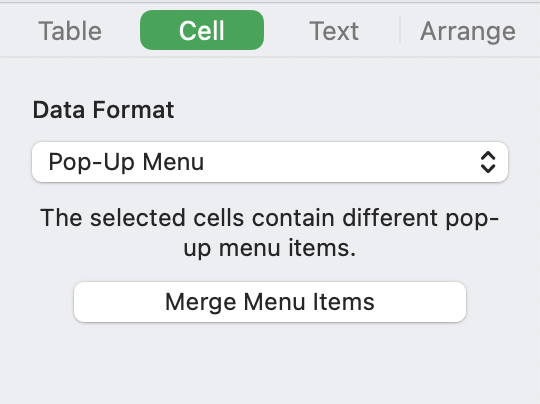
Clicking this button will combine all the menu items and make sure each cell has the same options available.
That's the first part to adding new categories.
The second part is to add them to your Budget Summary sheet. To do this go to the budget sheet and select any of the existing Budget rows and click the small downward pointing arrow alongside the row number. This will show a menu of row options, with 'Add Row Above' and 'Add Row Below'. Either of these will insert a new row above or below the current row.
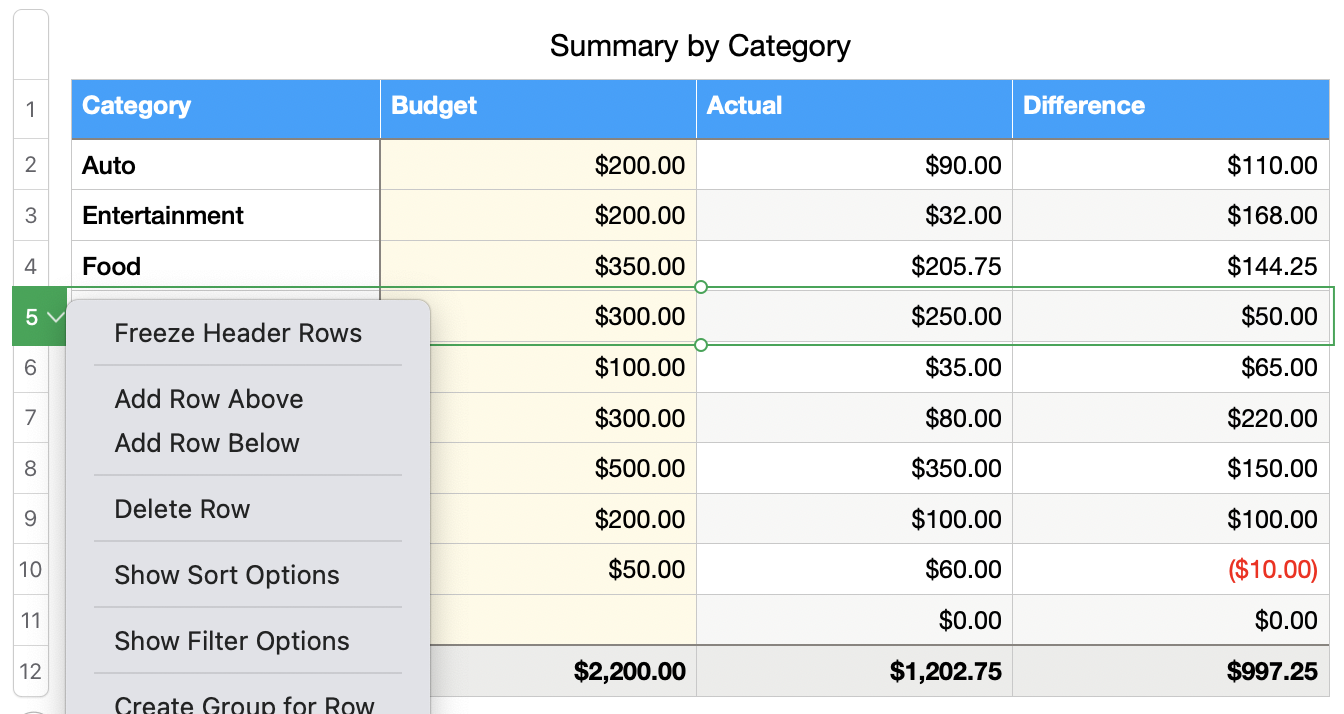
Now just type the name of the category into column A and the rest should update,
Unfortunately there is no automatic link between the categories in the pop-up menu on the transactions sheet and the categories in the Budget summary table - you'll need to type the category exactly as it appears in the Transactions pop-up menu in order for it to appear here.

