I cannot uninstall NordVPN

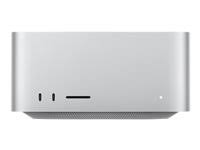
After I quit NordVPN and moved the application to Trash, I got a response prompt - "The operation can't be completed because you don't have permission to access some of the items." This is my computer, and my login is the system administrator. Why can't I remove this app from my MacStudio? Any tool that prevents and locks the system administrator from removing it is not a good app and should never be bought by anyone.


I have tried booting into Safe Mode but cannot boot into Safe Mode. I believe that has to do with me using a non-Mac keyboard. I booted the computer while holding down the "Option" key, but it won't boot into Safe Mode. How do I get rid of this app?

Mac Studio, macOS 15.3

Posted on Mar 7, 2025 9:35 AM

Reply
Question marked as Top-ranking reply

Posted on Mar 8, 2025 9:30 AM

Try the following:

  1. Reboot and login to an administrative user
  2. Type Command+Option+Esc to bring up Force Quit, if Nord is listed, quit it there
  3. Open Applications/Utilities/Activity Monitor, from the View menu choose "All Processes", then search for Nord in the process list
  4. If Nord is running, select it, and click the "X" (stop) icon in the menu bar
  5. Try moving the application to the Trash again


If that fails to allow removal, then you will need to find a keyboard that allows successfully booting into safe mode.


If safe mode also fails to allow removal, then you will need to contact NordVPN support to remove their crap software from your Mac.

9 replies
Question marked as Top-ranking reply

Mar 8, 2025 9:30 AM in response to ToddMD69

Try the following:

  1. Reboot and login to an administrative user
  2. Type Command+Option+Esc to bring up Force Quit, if Nord is listed, quit it there
  3. Open Applications/Utilities/Activity Monitor, from the View menu choose "All Processes", then search for Nord in the process list
  4. If Nord is running, select it, and click the "X" (stop) icon in the menu bar
  5. Try moving the application to the Trash again


If that fails to allow removal, then you will need to find a keyboard that allows successfully booting into safe mode.


If safe mode also fails to allow removal, then you will need to contact NordVPN support to remove their crap software from your Mac.

Mar 7, 2025 9:39 AM in response to ToddMD69

ToddMD69 wrote:

After I quit NordVPN and moved the application to Trash, I got a response prompt - "The operation can't be completed because you don't have permission to access some of the items." This is my computer, and my login is the system administrator. Why can't I remove this app from my MacStudio? Any tool that prevents and locks the system administrator from removing it is not a good app and should never be bought by anyone.

I have tried booting into Safe Mode but cannot boot into Safe Mode. I believe that has to do with me using a non-Mac keyboard. I booted the computer while holding down the "Option" key, but it won't boot into Safe Mode. How do I get rid of this app?


for your third party app—I would look for some in app un-installer

if in doubt search the developers website or contact their: Support/Help/FAQ/Known issues/compatibility/updates/uninstaller…


Contact a third-party vendor - Apple Support

Contact a third-party vendor - Apple Support


ref:

How to uninstall NordVPN software


How to uninstall a VPN [Windows, Android, Mac, iOS]


Mar 8, 2025 9:01 AM in response to ToddMD69

ToddMD69 wrote:

Any tool that prevents and locks the system administrator from removing it is not a good app and should never be bought by anyone.

I would agree with that. Which is why some of the some users in Discussions have recommended against installing stuff like NordVPN which has a questionable pedigree and doesn't even protect users' privacy but rather is more of a threat to it.

... don't you think I first searched for an Uninstall portion of the app? ... making assumptions is a sign of ineffective support and not helpful

No one here knows what you did or did not do, hence the recommendation was made without making any assumptions. And your comment about making assumptions is upside down, the person who responded avoided making assumptions, hence they suggested the obvious steps for uninstalling. Insulting those who are trying to assist you, based on the very limited information you initially provided, is not a good strategy for resolving your issue.

I booted the computer while holding down the "Option" key, but it won't boot into Safe Mode.

That looks like "user error," that is not how you boot into safe mode, as lkrupp pointed out, for your model. Follow the link provided and use the correct procedure for safe mode. If you still cannot remove the residual pieces of the NordVPN package, more complicated steps will be needed, which I am sure users here can assist you with, provided you refrain from insulting them for trying.


Mar 8, 2025 1:24 PM in response to ToddMD69

Did you install the version downloaded from Nord, or their Mac App Store version?


Regardless of the value of VPNs overall, NordVPN actually seems to be rather well-designed in terms of meeting Apples requirements for modern frameworks and modern launch items. If the app was properly quit, then it should be possible to drag it to the Trash to remove it with no additional steps.


Therefore, are you sure you completely quit the App, as opposed to just shutting off the VPN?

Apr 16, 2025 8:19 AM in response to ToddMD69

I too had this problem. Additionally, after my subscription to NordVPN expired I experienced sluggish performance of my computer associated with the system process corespotlightd spiking to 140-250%. A normal uninstall of NordVPN did not solve the problem. And the instructions on the NordVPN website refer you to Apple’s website regarding general instructions of how to uninstall apps. The problem was only fixed by root level deletions and reconfigurations. Apparently there were persistent system components that remained even after a standard uninstall. I believe that NordVPN should clearly disclose all system extension installations to users and provide its own uninstaller that fully removes all associated files and profiles. I am not certain that NordVPN's current disclosure is in compliance with Apple’s guidelines.

Apr 16, 2025 9:40 AM in response to brentfromlachine

Your issue is precisely why the longtime and experienced volunteers here NEVER recommend installing any brand of VPN or anti-virus software unless your employer’s IT department mandates it. These types of software bury themselves deep into the guts of macOS to do what they do. It’s not worth the inevitable performance hits and malfunctioning they often burden the user with.

Mar 7, 2025 10:03 AM in response to ToddMD69

ToddMD69 wrote:

With everything I placed into my original question, don't you think I first searched for an Uninstall portion of the app? Why would you even list something so simple and yet so non-helpful?

For tech support, making assumptions is a sign of ineffective support and not helpful.


Apple Support —


Call Customer Support  (800) MYAPPLE (800–692–7753)


or on line  https://getsupport.apple.com/


Outside the USA—Contact Apple for support and service by phone

See a list of Apple phone numbers around the world.

Contact Apple Support - Apple Support 


Mar 8, 2025 7:34 AM in response to ToddMD69

Rudeness will get you ignored here. You apparently don't understand that these forums are NOT Apple Support. These are user-to-user forums and no one here is an Apple employee or Apple contractor. We are fellow users who kindly volunteer to try and help one another.


You’re done here. Call Apple Support and be prepared to pay a fee for technical assistance if your warranty has expired. Otherwise follow the links provided by @leroydouglas. Of course NordVPN is not an Apple product and Apple Support will likely direct you to Nord for help.


As for booting into Safe Mode, again you need to be educated. Your profile says you are using an Apple Silicon M series Mac Studio. Booting into Safe Mode on an Apple Silicon mac is quite different than on an Intel Mac.


Start up your Mac in safe mode - Apple Support


Mar 7, 2025 9:49 AM in response to leroydouglas

With everything I placed into my original question, don't you think I first searched for an Uninstall portion of the app? Why would you even list something so simple and yet so non-helpful? For tech support, making assumptions is a sign of ineffective support and not helpful. As for the second "if in doubt" comment, don't you think I did that? NordVPN Support of this subject points to the Apple Support site with a technote instructing to move the app from the Finder/Application folder to Trash. This response was not helpful, so can someone else at Apple respond with something that makes sense?

This thread has been closed by the system or the community team. You may vote for any posts you find helpful, or search the Community for additional answers.

I cannot uninstall NordVPN

Welcome to Apple Support Community
A forum where Apple customers help each other with their products. Get started with your Apple Account.