> I finally figured it out, I stupidly thought that if you input the equal symbol into a cell, that would automatically be a sum formula
No. Actually, that might have been the case a while ago, but since Numbers added support for arrays it's no longer the case.
Consider the following example with a simple table of names and numbers:
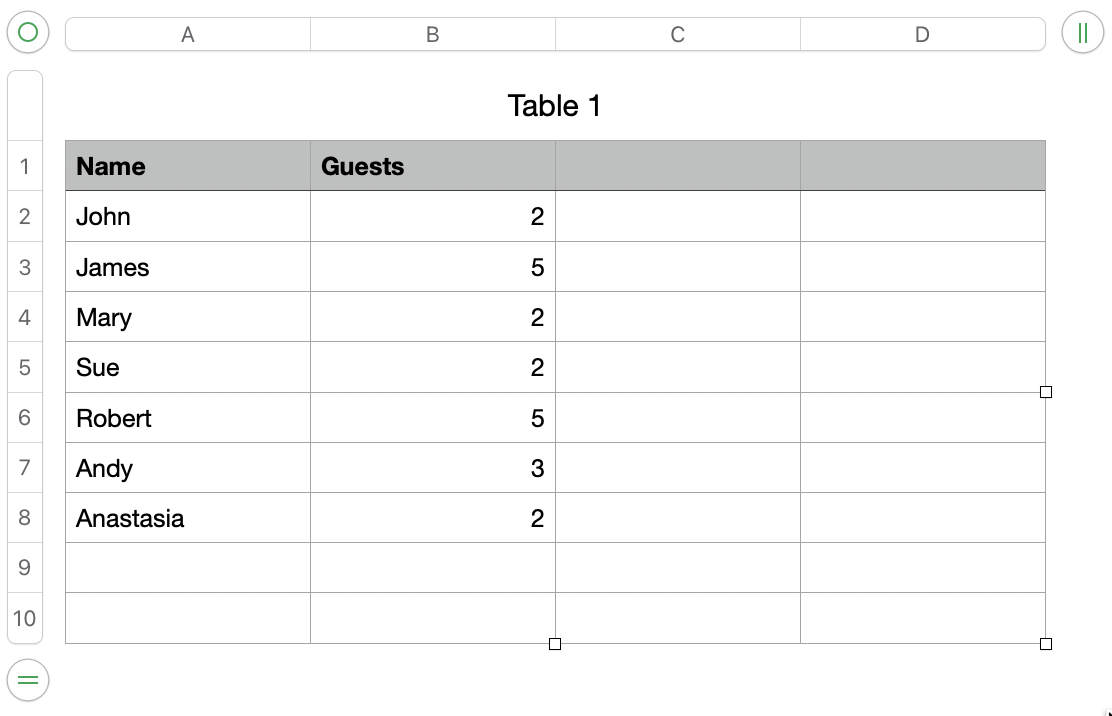
If I select the cell C2 and enter the formula:
=B2:B8
Numbers reads this as me wanting to copy those cells over, so you end up with:
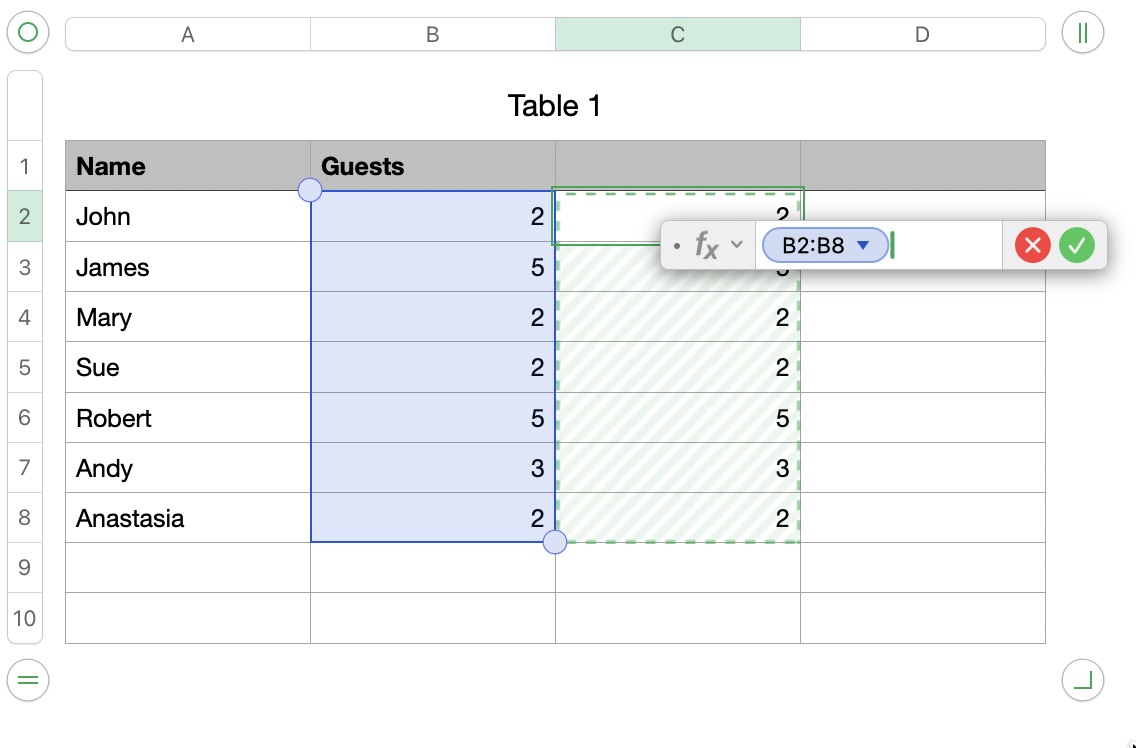
where it's copying the range of cells B2:B8 into C2.
Since the source B2:B8 is 7 cells, this causes the result to 'spill' over into the cells immediately below C2. These are highlighted with a green hashed background to indicate they are calculated as the result of a spillover, rather than a direct reference.
The problem you're seeing in your original screenshot is related to this - it's trying to copy a block of cells from the source (D1690:D1706) and spill into the adjacent cells. Your situation is complicated by the fact you have merged cells, so the error message highlights that, rather than the fact you probably don't want to spill the results. If the range didn't have merged cells you'd have probably seen a different error that it couldn't spill the results because the adjacent cells weren't empty.
In either case, adding SUM() makes it clear to Numbers that you want the sum of that range of cells, not a copy of them all.
Incidentally, if you select the cell (C2 in my example), and press = you get the formula editor pop up. If you click and drag over a series of cells (e.g. B2:B8), Numbers will insert the SUM() for you as a logical/likely intent, so it's really only an issue you type a second = (one to initiate the formula editor, then another to indicate that you really want the other cell range, rather than some other function (such as SUM()).