
Ipad stock on recovery mode
I have an iPad sixth generation that got stuck in recovery mode and I have tried different ways to make it work again, but all of them been unsuccessful so far
I have an iPad sixth generation that got stuck in recovery mode and I have tried different ways to make it work again, but all of them been unsuccessful so far
Force restart iPad (models with Face ID or with Touch ID in the top button)
If your iPad doesn’t have the Home button, do the following:
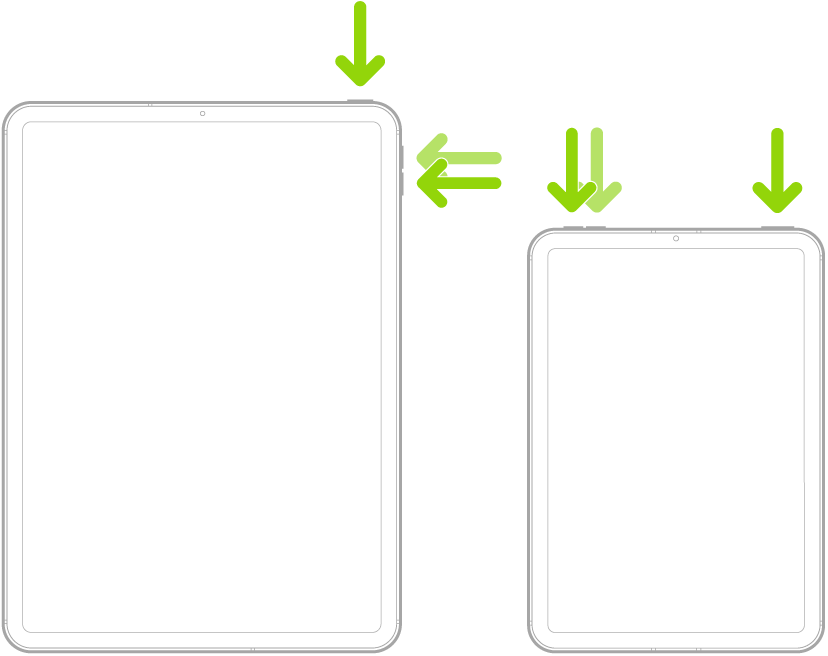
Force restart iPad (models with the Home button)
Press and hold the top button and the Home button at the same time. When the Apple logo appears, release both buttons.

Ipad stock on recovery mode
