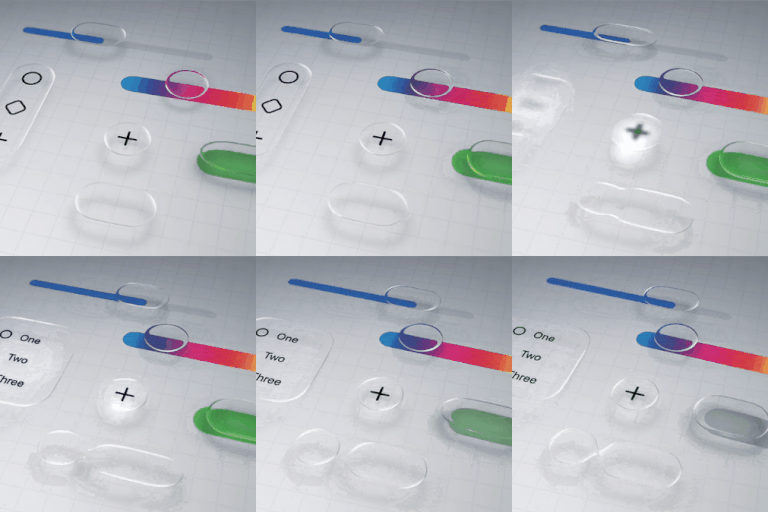
How to disable liquid glass in iOS 26?
Is there a way to completely disable the liquid glass functionality on iOS 26? I'm not going to get into a lengthy diatribe over why it's awful, I just want it gone.
iPhone 13 Pro Max, iOS 18
Is there a way to completely disable the liquid glass functionality on iOS 26? I'm not going to get into a lengthy diatribe over why it's awful, I just want it gone.
iPhone 13 Pro Max, iOS 18
There is no way to completely disable the Liquid Glass effect in iOS 26, but you can reduce its impact by going to Settings > Accessibility > Display & Text Size and turning on Reduce Transparency. This will make the interface less transparent, but it won't remove the effect entirely.
Tzotzi wrote:
It’s not a question of liking or disliking the Liquid Glass.
I can’t see the time clearly when I glance at my phone because it has become translucent or transparent rather than opaque and easy to see at a glance.
I don’t understand how this can be called an improvement.
If I’d known that this would be irreversible, I would NOT have updated!!!
Perhaps before the next update Apple users can get a preview of what’s in store, so that they can decide if they want to update or not.
This is very disappointing ☹️
Hello~ You state “If I’d known that this would be irreversible, I would NOT have updated!!!” All iOS updates are irreversible. The “preview “ was pretty in depth for iOS 26. Do you have a technical question for us??
~Katana-San~
Worst update EVER. I wish you could have the option to turn OFF the Liquid Glass completely. Not go through all these steps to “minimize” the effects. I’m older and the movements and clear mess with my eyes and sensitivity.
super disappointed
LeoLee10 wrote:
Worst update EVER. I wish you could have the option to turn OFF the Liquid Glass completely. Not go through all these steps to “minimize” the effects. I’m older and the movements and clear mess with my eyes and sensitivity.
super disappointed
What does your age have to do with making adjustments, which would suit you better? I'm in my 70s and my other half in their late 70s. We refuse to let age get in our way. But if you're not willing to take advantage of the options which ARE available to you, you'll just have to be disappointed.
I am a person that has visual impairment and this new update has made it impossible. Even when I am seeing OK, all of the blurry looking little glass is not OK. If Apple decided to do an update like this, it should’ve should’ve been a preview of it and we had a choice to update it or not and it not affect us if we didn’t. You need to come up with a resolution to get rid of the liquid glass and whatever else that’s hogging the battery life ever since this update or you will see many iPhone users like myself becoming android users.
Yohonlp wrote:
I am a person that has visual impairment and this new update has made it impossible. Even when I am seeing OK, all of the blurry looking little glass is not OK. If Apple decided to do an update like this, it should’ve should’ve been a preview of it and we had a choice to update it or not and it not affect us if we didn’t. You need to come up with a resolution to get rid of the liquid glass and whatever else that’s hogging the battery life ever since this update or you will see many iPhone users like myself becoming android users.
User to user only forum. We don't care what phone you choose. But before you leap to Android, you'll find out Android is coming out with something VERY similar to Liquid Glass, called Material Design 3.
Since you responded to the opening post of this thread, you clearly didn't take the time to even read further. Had you, you'd see on many many of the pages, this link, which you should read ALL the way through and make adjustments, which will likely make things work for your needs --> Liquid Glass - Love It Or Hate It - It's … - Apple Community
Or buy an Android, then you will soon be on their forum complaining. You're not going to be able to escape the newer more modern skeuomorphic design language which all manufacturers will migrate to. Maybe a simple flip phone would be the best option.
Yohonlp wrote: "...it should’ve should’ve been a preview of it..."
Yohonlp – Apple published these previews on June 9 — well before the release of iOS 26 on September 15:
Introducing Liquid Glass | Apple
You can keep up with Apple news here:
...where this article appeared in June:
Apple introduces a delightful and elegant new software design
õ¿õ¬
A "preview of Liquid Glass" would not be possible unless the device knows how to create Liquid Glass through new software. So the best preview you can get is what you have which is screenshots from Apple and news sources.
joshua62 wrote:
How do you disable Liquid Glass?
Buy a Samsung Galaxy.
iOS 26 is one of the worst updates ever for UI.
Uh Oh! You failed to look in the Samsung/Android support site. You will see that Android 16 is now rolling out and includes the same Transparency and Blur effects seen in Liquid Glass. The only difference is that they call it Materials Design 3. Ironically you see the same posts over there that say they are fed up with their phones and are purchasing an iPhone. I guess it is just a moot point and what some people like to say as a basic go to comment when they do not like something.
joshua62 wrote:
How do you disable Liquid Glass?
Buy a Samsung Galaxy.
iOS 26 is one of the worst updates ever for UI.
And then when Samsung releases Material Design 3, you'll be on their forum complaining. Good luck with that.
[Edited by Moderator]
Thank you! Stutters is the perfect word. I had no idea what was going on and now I do. Thank you. Not a fan of this update.
It hurts my eyes. I turned it off.
Sounds like alpejohn is frustrated and that’s the best way to vent. I agree, I think it’s terrible and I’m doing everything I can to cancel out the visual changes. Hurts my eyes.
Maybe you’re using it wrong 🤔
I do wish there was a way to fully turn it off.
It’s pretty and all, but it runs down your battery very fast and makes it slow.
How to disable liquid glass in iOS 26?